Parivar Pehchan Patra · Guide 2026
Family ID Haryana – PPP Registration, Login & Status Made Simple
Family ID Haryana, officially the Parivar Pehchan Patra (PPP), is your family’s single 8-digit key to over 500 government schemes. Here’s how to register, log in, check your status, update details and download your ID — explained step by step.
Last updated: 30 September 2026
✅ 100% Free of Cost 🏛️ 500+ Schemes Linked 🆔 8-Digit Unique ID
PPP Haryana Services – Quick Links
Everything you can do with your Family ID online, in one place. Pick a task to see the full step-by-step guide.
What is Family ID Haryana (Parivar Pehchan Patra)?
The Parivar Pehchan Patra (PPP) is a flagship scheme of the Government of Haryana, launched in January 2019, that gives every family a single verified digital identity stored in the state’s Citizen Resident Information Database (CRID). Permanent residents receive a unique 8-digit Family ID; families outside the state get a 9-digit temporary ID starting with “T”.
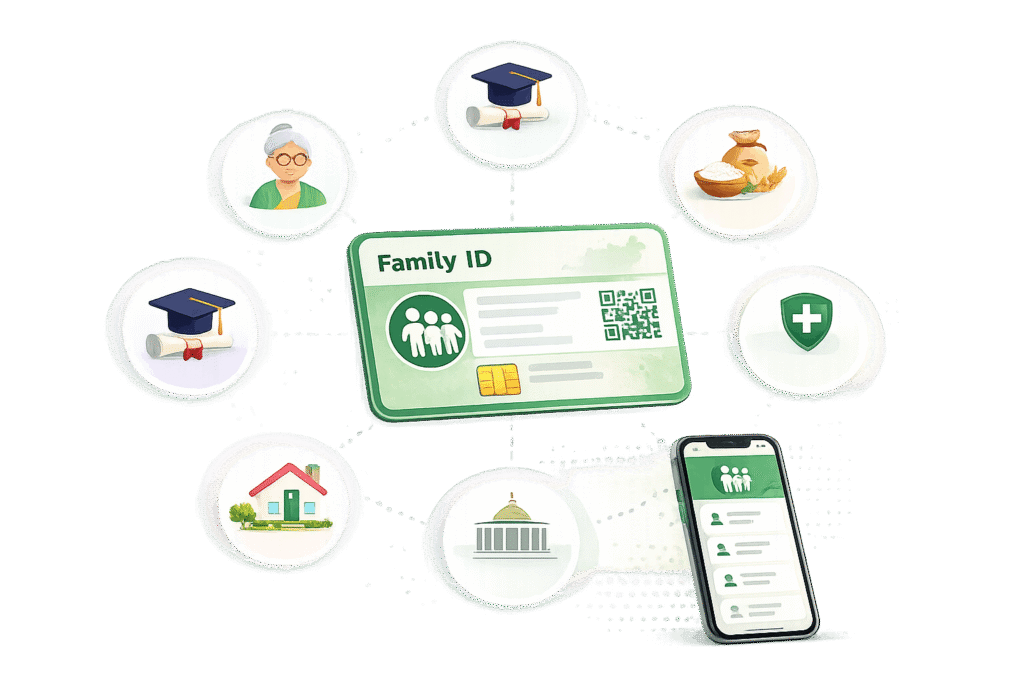
Managed through the Mera Parivar portal, the Family ID stores verified details of every member – name, age, education, occupation and income – linked to Aadhaar (UIDAI). It updates automatically from birth, death and marriage records, and unlocks over 500 schemes such as ration cards, pension, scholarships and Ayushman Bharat.
Family ID Haryana – Key Highlights
| Scheme Name | Parivar Pehchan Patra (PPP) / Family ID Haryana |
| Launched By | Government of Haryana (January 2019) |
| ID Format | 8-digit permanent ID / 9-digit temporary ID starting with “T” |
| Managed By | Citizen Resources Information Department, Haryana |
| Official Portal | meraparivar.haryana.gov.in |
| Registration Fee | Completely free of cost |
| Processing Time | 10 to 30 days after verification |
Who Can Apply for PPP Haryana Family ID?
Permanent Residents of Haryana
Every family permanently living in Haryana is eligible for a permanent 8-digit Family ID. The head of the family applies for all members, and everyone should have a valid Aadhaar for verification.
Temporary / Non-Resident Families
Families living outside Haryana who want to access state schemes can register for a temporary 9-digit ID starting with “T”, valid only for availing benefits.
How to Register for Family ID Haryana – Step by Step
Creating a new Family ID is free and fully online on the Mera Parivar portal. Keep the Aadhaar cards of all family members and one Aadhaar-linked mobile number ready – the whole process takes about 15–20 minutes. Click any screenshot to enlarge it.
STEP 1
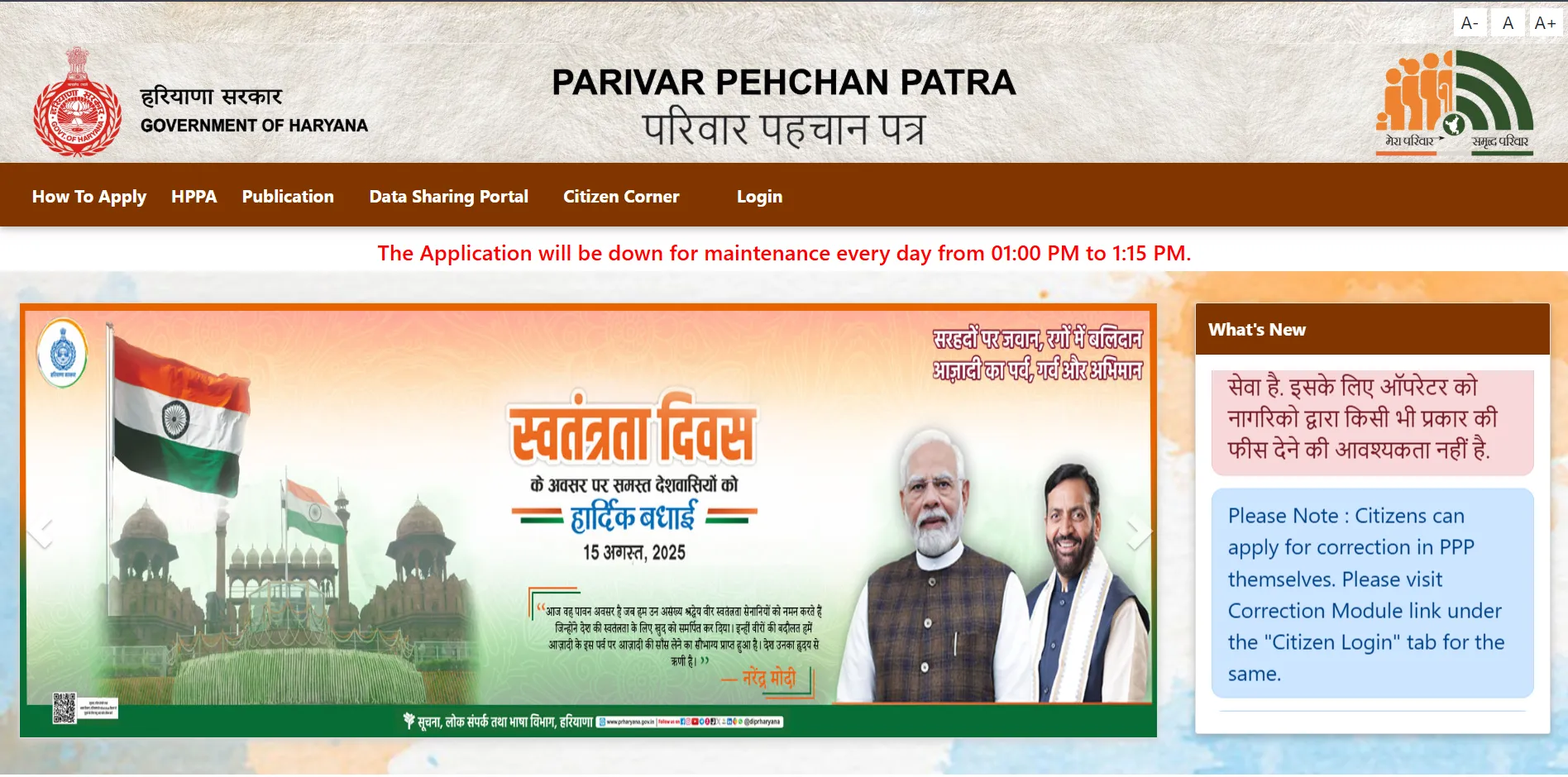
Visit the Official Website
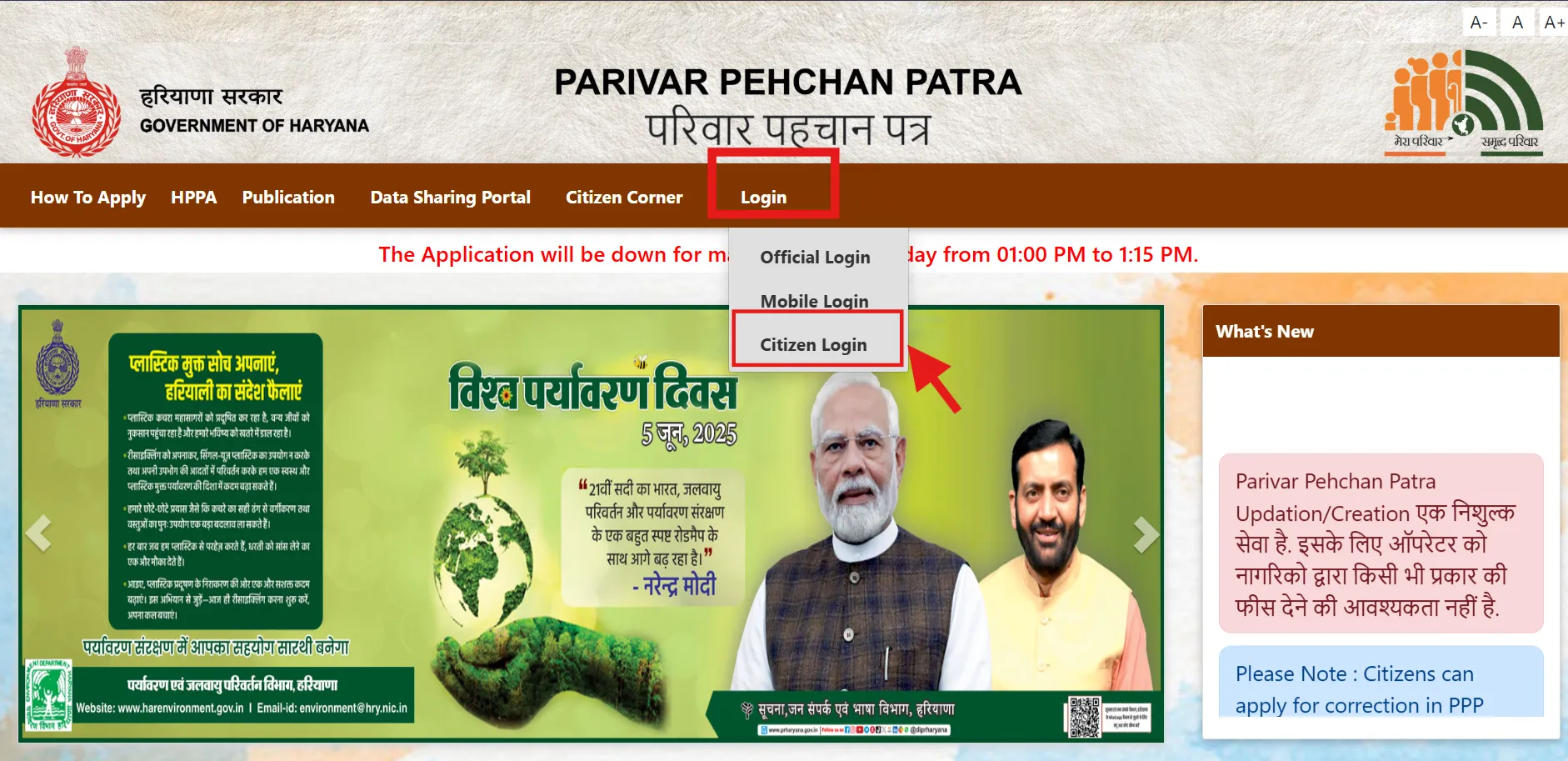
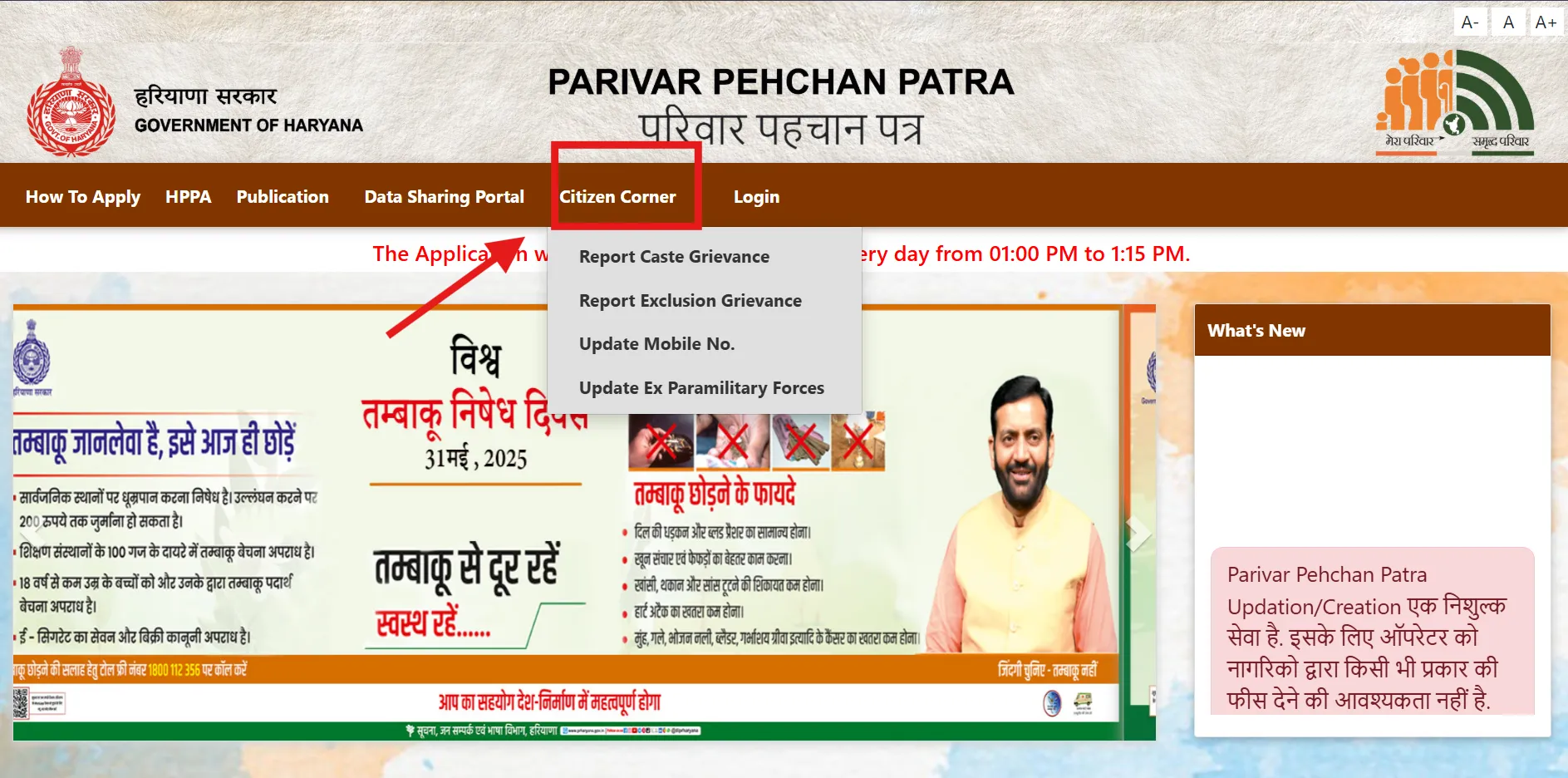
Open the PPP portal and click Citizen Login. Always confirm the address ends in haryana.gov.in so you are on the genuine government site, not a lookalike.
🔗 https://ppp-office.haryana.gov.in/
STEP 2
Choose New Registration
When asked “Do you have a Family ID?”, select No and choose the option to create a new Parivar Pehchan Number (PPN).
STEP 3
Enter the Aadhaar Number
Enter the Aadhaar number of the head of the family. An OTP is sent to the mobile number linked to that Aadhaar.
STEP 4
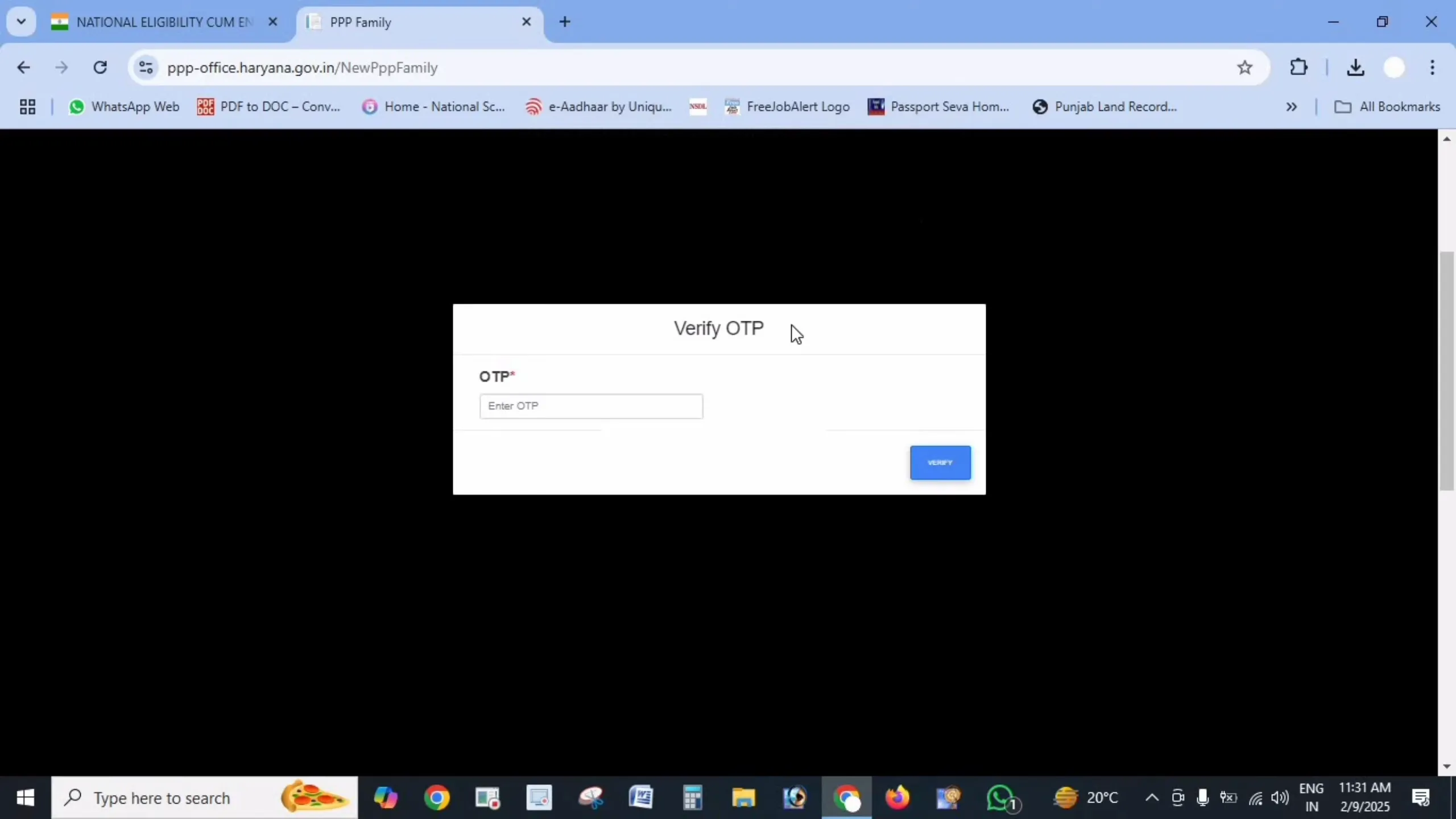
Verify the OTP
Enter the OTP to verify Aadhaar. The family head’s name and date of birth are pulled in automatically from UIDAI records.
STEP 5
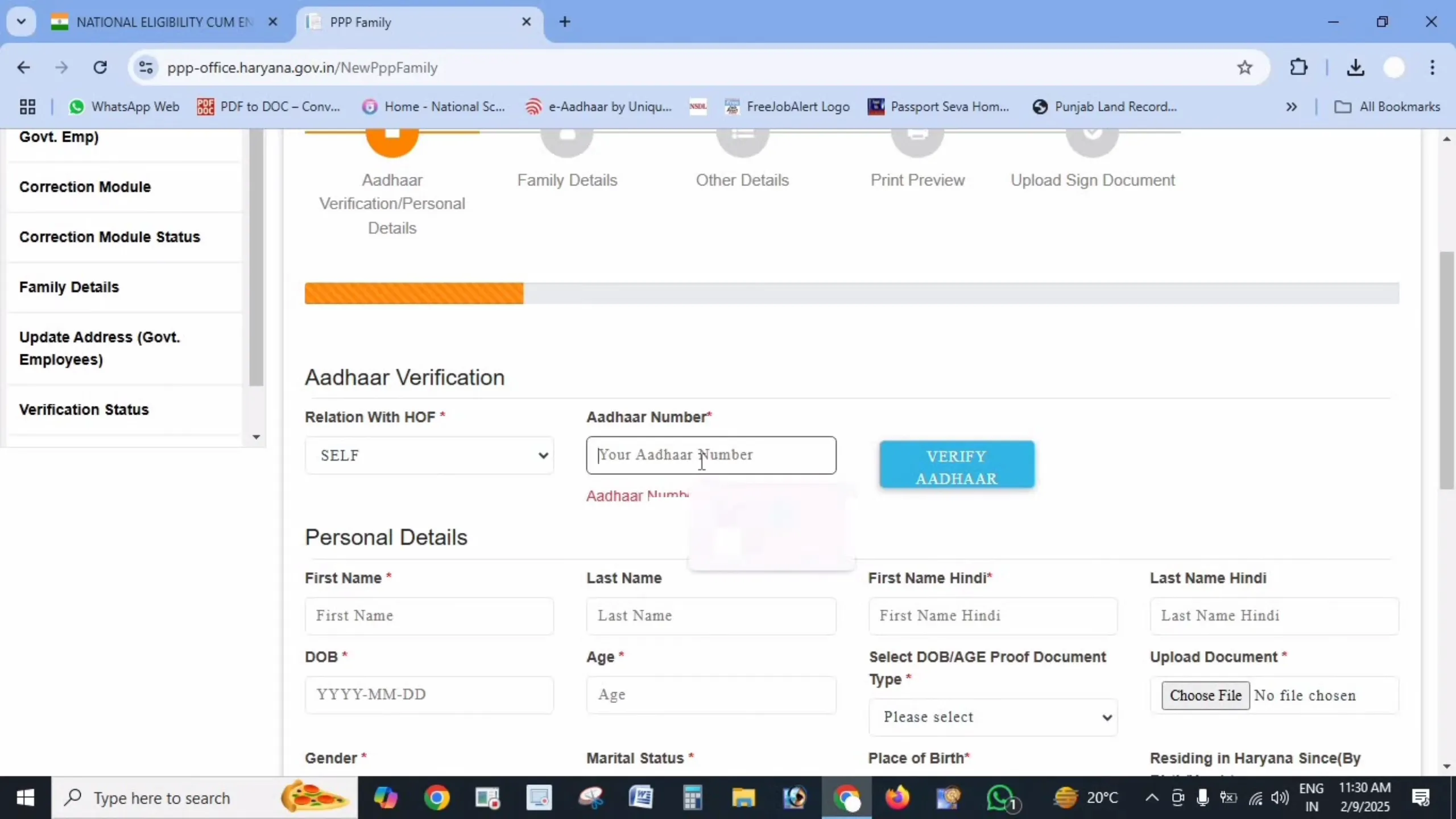
Fill in Personal Details
Complete every field – name in Hindi, date of birth with proof, gender, marital status, place of birth, residence duration, mobile number, caste/disability if applicable, and annual income with its source.
STEP 6
Upload Documents
Upload clear PDFs under 200 KB each – Aadhaar cards of all members, age proof, voter ID for adults, address proof, and income or caste proof wherever applicable.
STEP 7
Add Family Details
Enter every member – father (note if deceased), mother, spouse if married, and children – each with Aadhaar, name in English and Hindi, and date of birth. Add the full address with property ID and ownership status.
STEP 8
Check and Submit
Review all details carefully – a small mismatch with Aadhaar is the top reason applications are rejected – then click Submit.
STEP 9
Save Your Temporary ID
You will receive a temporary Family ID starting with “T”. Note it or screenshot it to track your application. After verification (10–30 days) your permanent 8-digit Family ID is issued.
Documents Required for Family ID Registration
Keep these ready before you begin your PPP Haryana registration. Having them handy makes the process quick and avoids rejection.
Explore More Family ID Guides
Once registered, here is everything else you can do with your Family ID. Tap any guide below.
Access your Citizen Corner account
Read Guide → 🔎 Check Status
Track your application by Aadhaar/mobile
Check Now → ✏️ Update Family ID
Add members, fix income or mobile
Read Guide → ⬇️ Download ID
Get your PPP card PDF
Read Guide → 🔍 Search Family ID
Recover a forgotten ID number
Read Guide → 🏛️ Linked Schemes
500+ benefits tied to your ID
Read Guide →
Why Haryana Family ID is Important
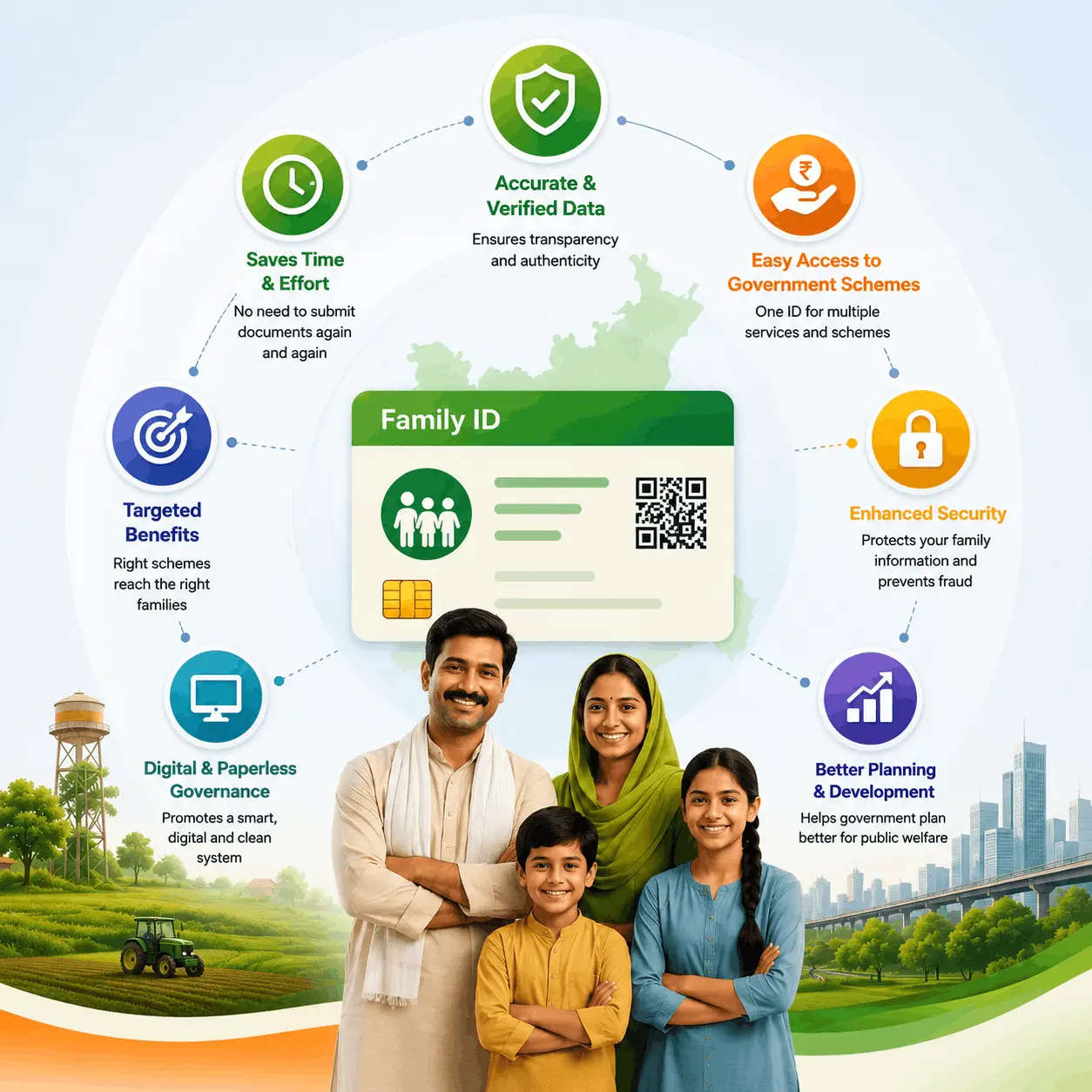
The Parivar Pehchan Patra is now the backbone of welfare delivery in Haryana. A single verified Family ID means you no longer submit the same documents at every office – your details are already confirmed in the government database.
- Single identity for the whole family across all state schemes.
- Auto-eligibility for pensions, ration, scholarships and Ayushman Bharat based on verified income.
- Less paperwork – data links with birth, death and marriage records automatically.
- Transparent benefits delivered directly to the right families.
Safety Tips for PPP Haryana
About This Website
haryanafamilyid.com is an independent informational website that explains Haryana’s Parivar Pehchan Patra (PPP) scheme in plain language. We do not collect applications, issue Family IDs, or approve requests — we simply help citizens understand how the Family ID system works and point them to the official portals for every service.
About the Author
Pankaj writes practical, step-by-step guides on Haryana’s Parivar Pehchan Patra (Family ID) system and the government schemes linked to it. Every guide is researched from official sources and written in plain Hinglish for ordinary families. More by Pankaj
Sources and Verification
Guides on this site are researched from official sources, including:
- meraparivar.haryana.gov.in (Mera Parivar citizen portal)
- ppp-office.haryana.gov.in (PPP office portal)
- saralharyana.gov.in (Antyodaya SARAL portal)
- epds.haryanafood.gov.in (Haryana Food & Supplies EPDS)
Editorial note: Government portals and procedures change over time. Information here is for general guidance — please verify current requirements on the official portals before applying.
Frequently Asked Questions (FAQs)
What is the full form of PPP Haryana?
PPP stands for Parivar Pehchan Patra, also called Family ID Haryana – a unique 8-digit family identity number issued by the Government of Haryana.
How can I make a new Family ID in Haryana?
Visit ppp-office.haryana.gov.in, click Citizen Login, choose to create a new PPN, verify the family head’s Aadhaar with OTP, and fill in all member details. See the registration guide: https://haryanafamilyid.com/registration/
Is Family ID registration free?
Yes. Registration, updates, status checks and downloads are completely free.
How many days does it take to get the Family ID?
Usually 10 to 30 days after submission. Track it here: https://haryanafamilyid.com/check-status/
What is the difference between an 8-digit and 9-digit Family ID?
Permanent residents get an 8-digit ID; families outside Haryana get a 9-digit temporary ID starting with “T”.
How do I download my Family ID PDF?
Log in to the Citizen Corner, click Print Form, and download the PDF. Full guide: https://haryanafamilyid.com/download-id/
How can I search my Family ID by Aadhaar number?
Choose “Forgot Family ID”, enter your Aadhaar, verify with OTP, and your Family ID appears. Full guide: https://haryanafamilyid.com/search-family-id/
How do I update or correct details in my Family ID?
Log in and use the update option, or visit a Saral Kendra. Full guide: https://haryanafamilyid.com/update-id/
Why was my pension or ration benefit stopped?
Usually because verified income or age changed or was recorded wrongly. Raise a correction with proof through the update process: https://haryanafamilyid.com/update-id/
Can I add a newborn child or new spouse to my Family ID?
Yes. Use the Add Member option with the birth or marriage certificate: https://haryanafamilyid.com/update-id/
Is Family ID mandatory for Haryana government schemes?
Yes, for most Haryana state schemes it is the primary identity used to verify eligibility.
What should I do if the OTP is not received?
Your mobile may not be linked to Aadhaar or your Family ID. Update it at an Aadhaar centre or Saral Kendra, then try again.
Disclaimer: haryanafamilyid.com is a private informational website created to help citizens understand the Parivar Pehchan Patra scheme. We are not affiliated with the Government of Haryana. All services should be availed only through the official portals meraparivar.haryana.gov.in and ppp-office.haryana.gov.in.